Developers who prefer to configure the MCP server themselves can follow Install in ChatGPT via MCP.
Prerequisites
ChatGPT Account
The free plan is enough, no paid subscription required. Create yours at chatgpt.com and sign in before you install the app.
Padel API Account
A Plus Plan subscription or higher. You’ll sign in with it during the installation to connect both accounts.
Installation Steps
1
Open the Padel Analyst app page
Go to the Padel Analyst app in ChatGPT and click Install plugin.ChatGPT shows you what the app does and what data it can access. Click Sign in with Padel Analyst to continue.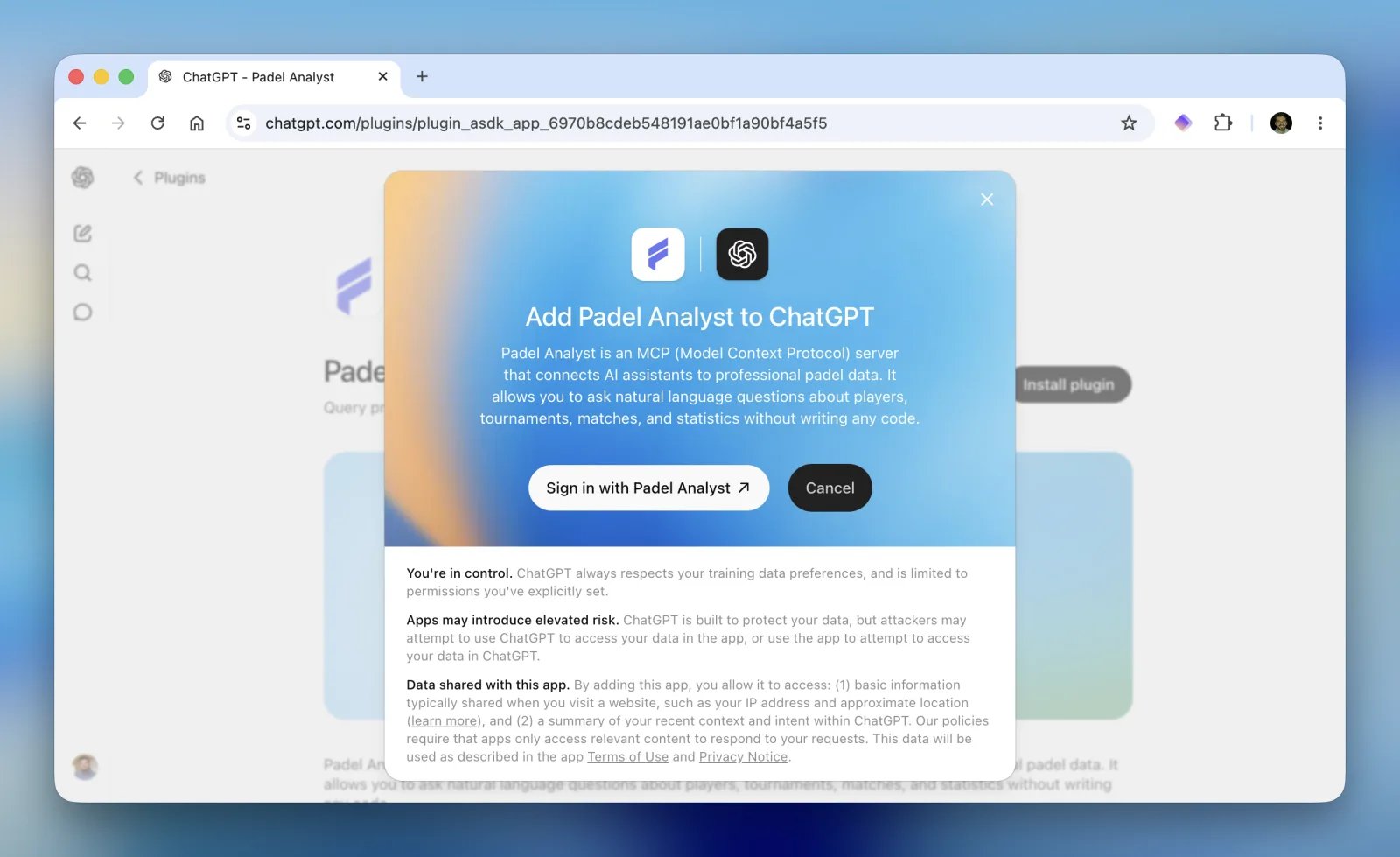
2
Authorize with your Padel API account
You’re redirected to Padel API to sign in. Review the permissions ChatGPT is requesting and click AUTHORIZE.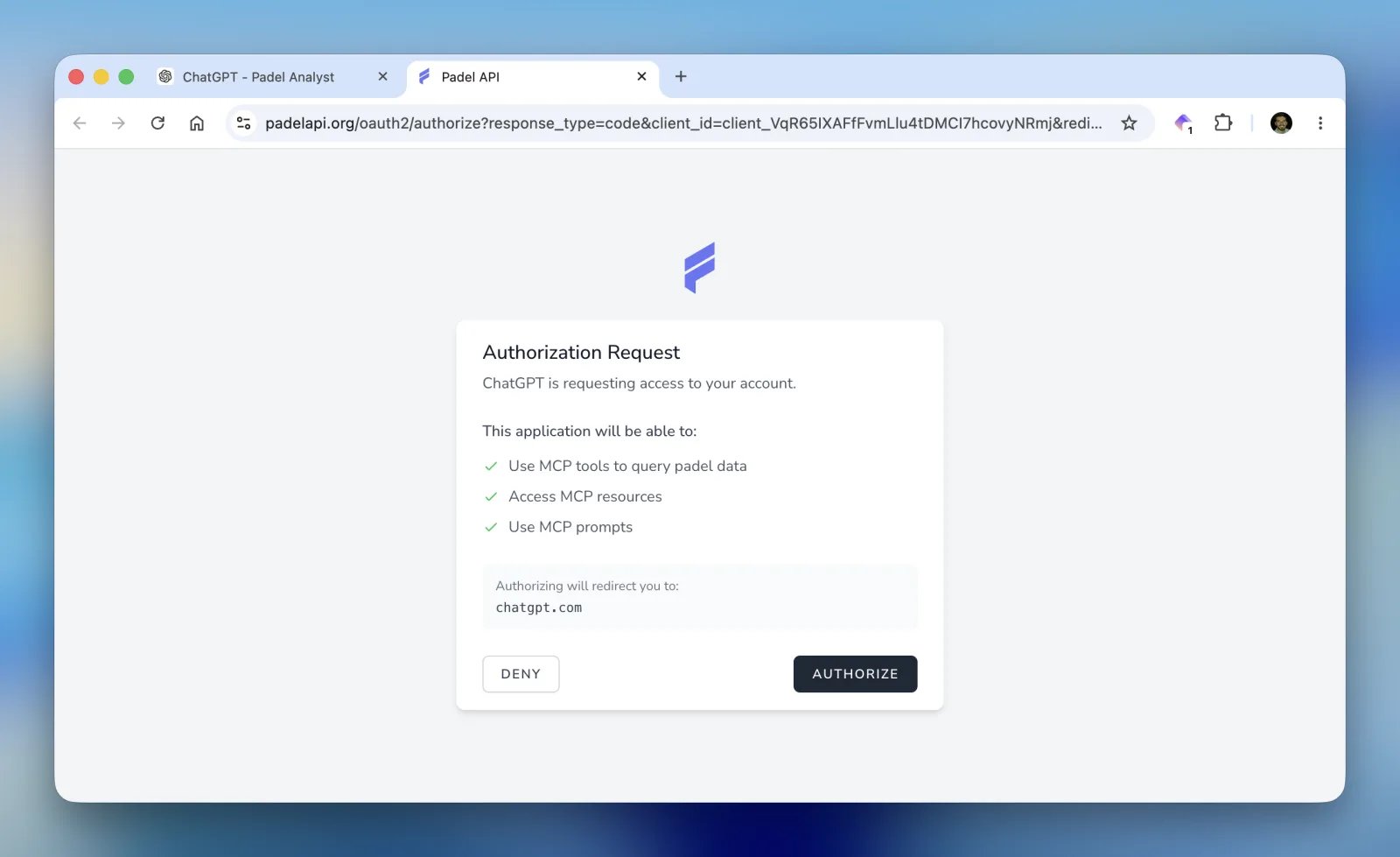
Once authorized, you’re sent back to ChatGPT.
3
Start using Padel Analyst
The app page now shows a Try in chat button. Click it to open a conversation with Padel Analyst already enabled.From then on you can call it in any chat, as described in Calling Padel Analyst in a chat.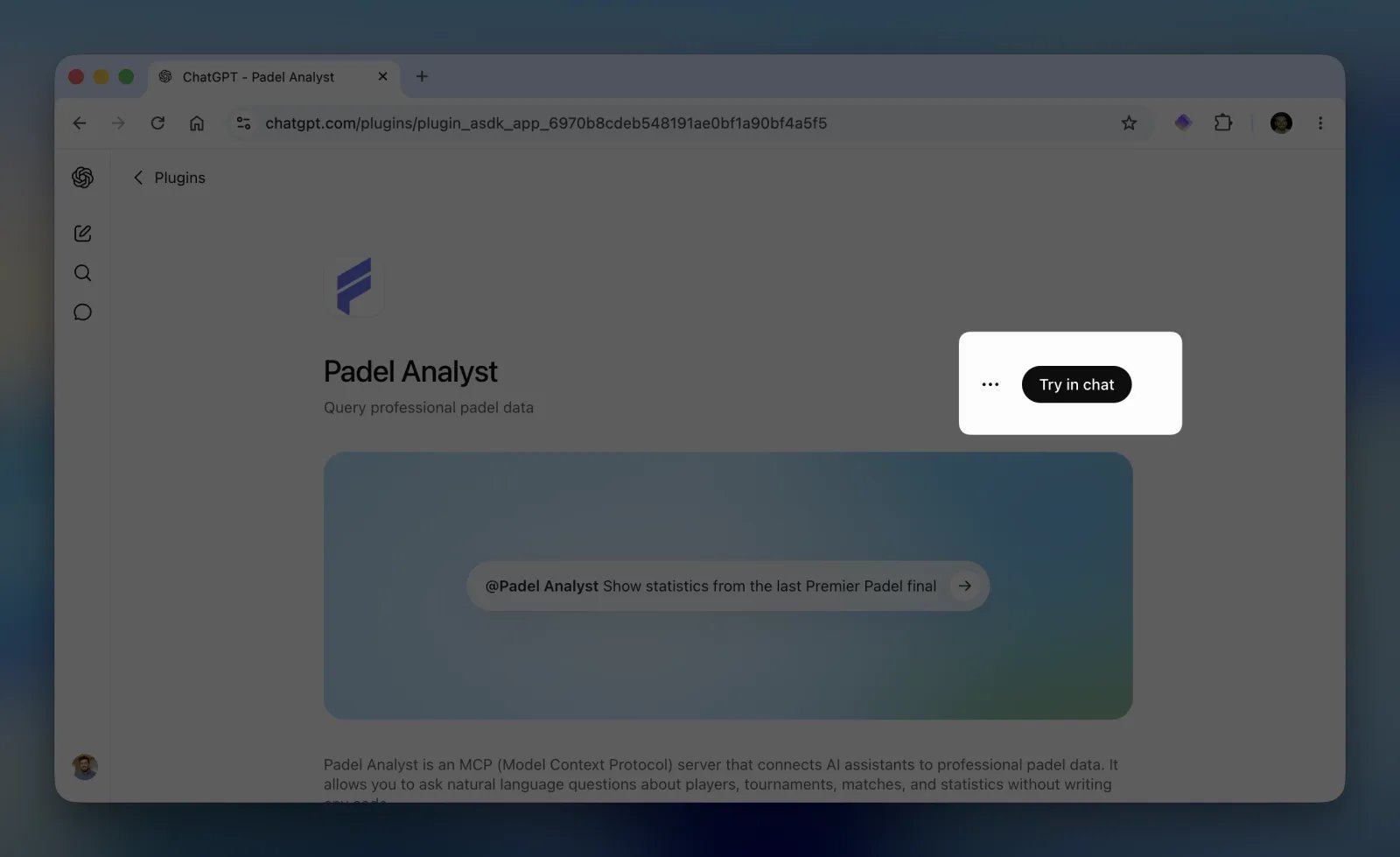
Calling Padel Analyst in a chat
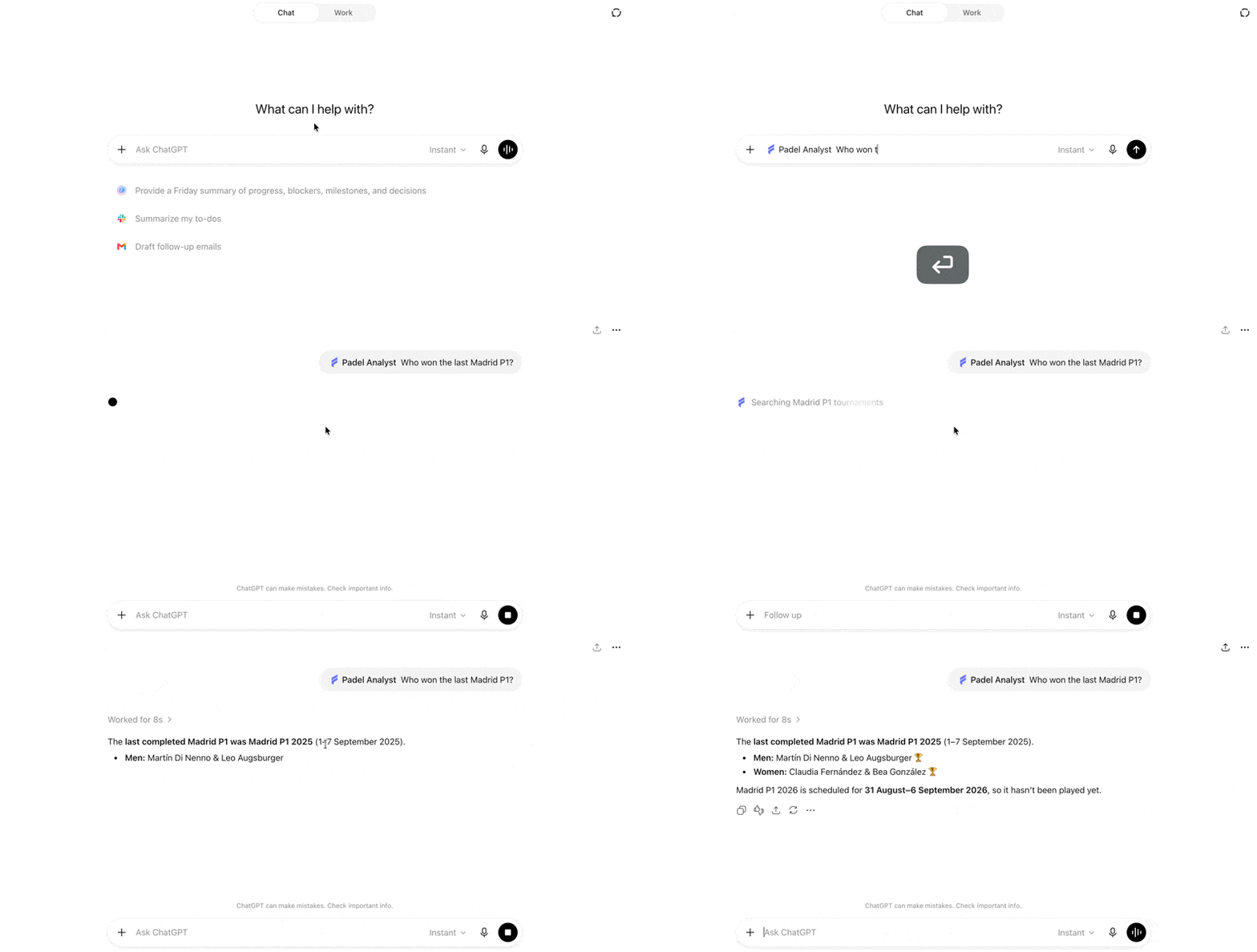
The app is available across your whole ChatGPT account: every chat, on every device where you’re signed in. You only install it once. There are two ways to call it:Mention it by name
Type@Padel Analyst in the message box and pick it from the list, then write your question:
Select it from the + menu
Click the + button next to the message box and choose Padel Analyst from the list: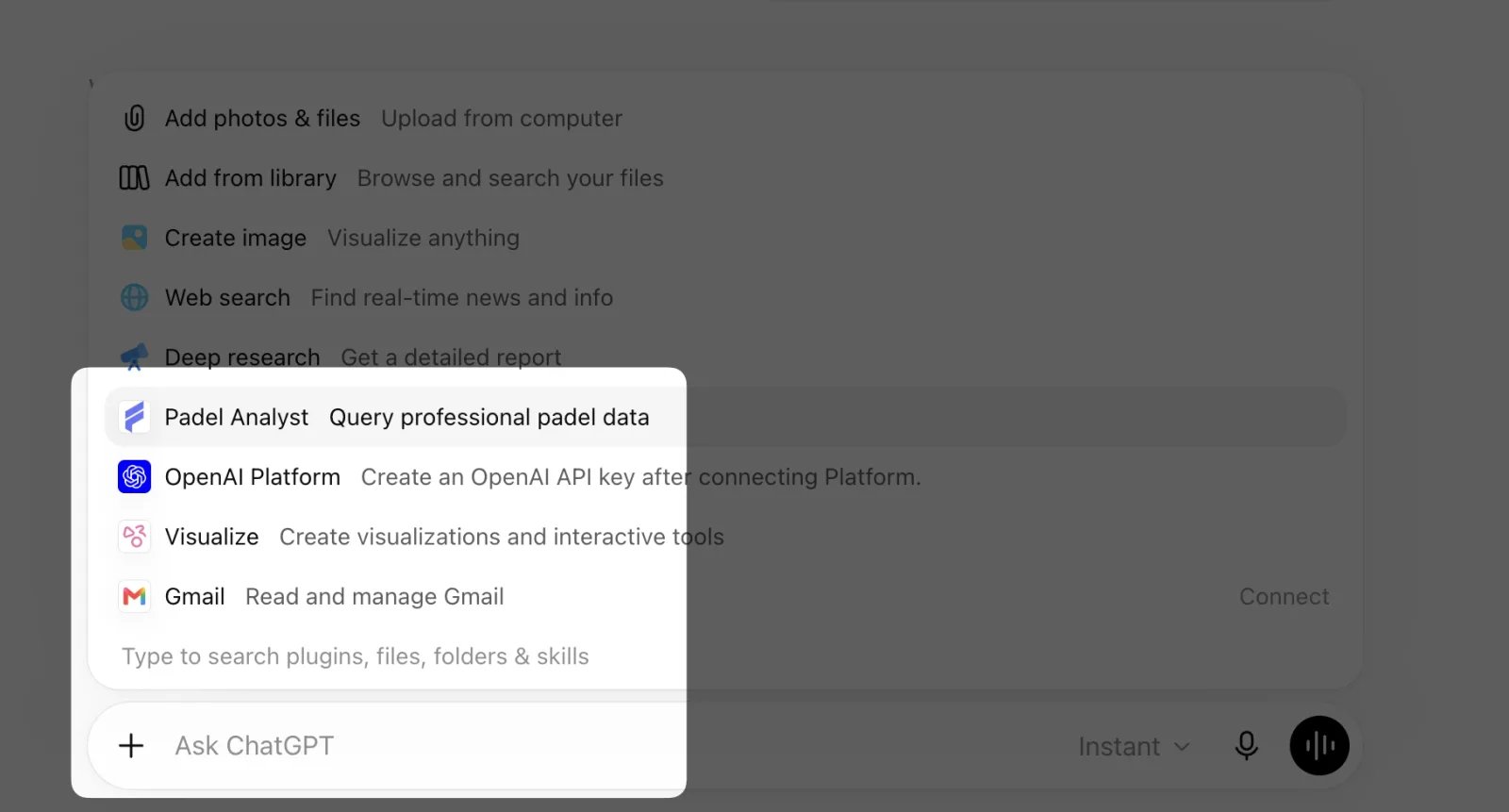
What you can ask
Ask in your own words, there’s nothing to memorize. Anything about professional padel is fair game: players, pairs, tournaments, results, rankings, match statistics and predictions. Some questions to get you started:- “Who won the last Premier Padel Major?”
- “Show me the head-to-head between Lebron/Galan and Coello/Tapia”
- “What are Arturo Coello’s statistics this season?”
- “List all P1 tournaments in 2025”
- “Simulate a match between the top two ranked pairs”
Troubleshooting
Padel Analyst doesn't answer with data
Padel Analyst doesn't answer with data
Check that your Padel API subscription is active on the billing page. If it is, use Reconnect from the app settings to sign in again.
Something else isn't working
Something else isn't working
Write to ferran@padelapi.org with a description of what you were doing and we’ll take a look.
Manage or remove the app
Open Settings → Plugins in ChatGPT and select Padel Analyst. From there you can review the connection, adjust when ChatGPT asks for permission, and see every read action the app can perform, with the description of each tool. The ··· menu in the top-right corner gives you three options: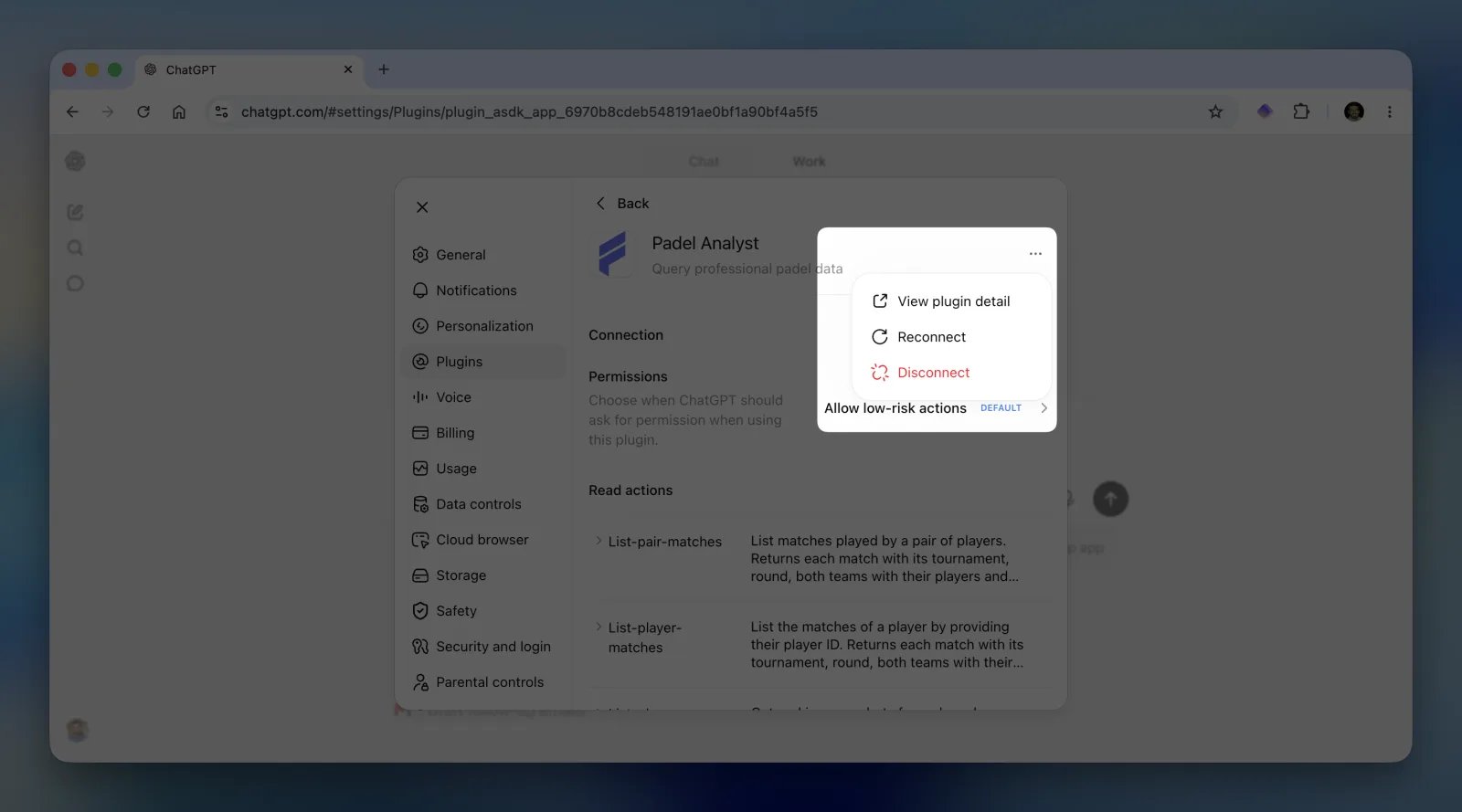
Next Steps
Available Tools
See all the custom tools available for querying padel data
Access Padel API
Explore the full REST API behind Padel Analyst